Changelog

Added a re-shoot feature for clips.

Powered by the Seedance 2.5 model, simply select the video clip you wish to adjust to re-edit and generate a new version, optimizing for motion, visual content, and creative expression. No need to start from scratch—local tweaks are more efficient, and the entire creative process becomes more flexible.


Try now

Added a feature to remove subtitles from videos.

It supports both automatic subtitle removal and manual selection for subtitle removal, allowing you to flexibly choose the processing method based on the video content. This quickly clears the subtitle area, delivering a cleaner visual experience and enhancing the freedom of secondary video creation.

Try now

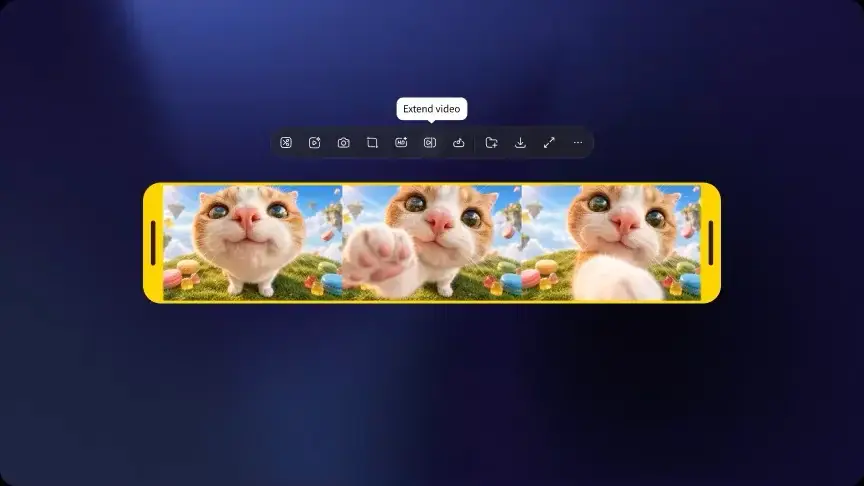
Video Extension Optimization

Powered by the Seedance 2.5 model, it continues to generate subsequent frames based on existing video footage. Whether it’s extending character movements, expanding the scene’s atmosphere, or adding follow-up developments to the narrative, it gives creators greater creative freedom and enables richer, more expressive cinematic storytelling.

New grouping feature added

Supports grouping multiple nodes to easily organize your canvas content. Within a group, items can be arranged in a grid, horizontally, or vertically, making your assets easier to view and compare. You can also download all assets in a group at once and customize group colors to intuitively distinguish between different scenes, plans, or stages of creation, streamlining asset management.